
YOUR FIRST ADVENTURE
Everblue Dungeons Beginner Guide
Last updated:
Start with a weapon you know how to use, then take on Goblin Hideout. Your first dungeon leads into the main progression loop: fight, collect loot, claim rewards and prepare your next loadout.
The quick route
Open Bag and equip your weapons, then practice in the Training Area. Enter the Start Game circle, press E Configure and choose Story Mode → Goblin Hideout → an unlocked chapter. Set Party Size to 1 for solo play and select Create. Clear all seven waves, defeat the final boss and remaining enemies, then open chests during the collection countdown. Return to town to claim Quest and Aldric's level rewards, inspect new equipment and prepare another run.
Prepare Your First Loadout
- Finish the opening cutscene, or select SKIP in the upper-right corner to reach town.
- Open Bag → Weapon, select a weapon and choose Equip. A green check mark and the Unequip button identify an equipped weapon.
- Check Weapon 1 and Weapon 2. If you have two weapons equipped, close Bag and press G to switch between them.
- Follow the Training Area sign above the central stairs to the circular practice platform. Try normal attacks and your unlocked skills on the dummies before entering a dungeon.
| Input | Action |
|---|---|
| M1 / left mouse button | Normal attack |
| LeftShift | Dash |
| G | Switch between two equipped weapons |
| Ctrl | Toggle Shiftlock |
Read the active weapon's skill bar after switching weapons: available skills and some bindings can change. When a skill displays an attack-position indicator, aim its area over the target.
Use the combat controls and skill guide for weapon skill unlocks and more detailed dodging advice. The hub service directory can help you find the training platform and other facilities.
Create Your First Goblin Hideout Run
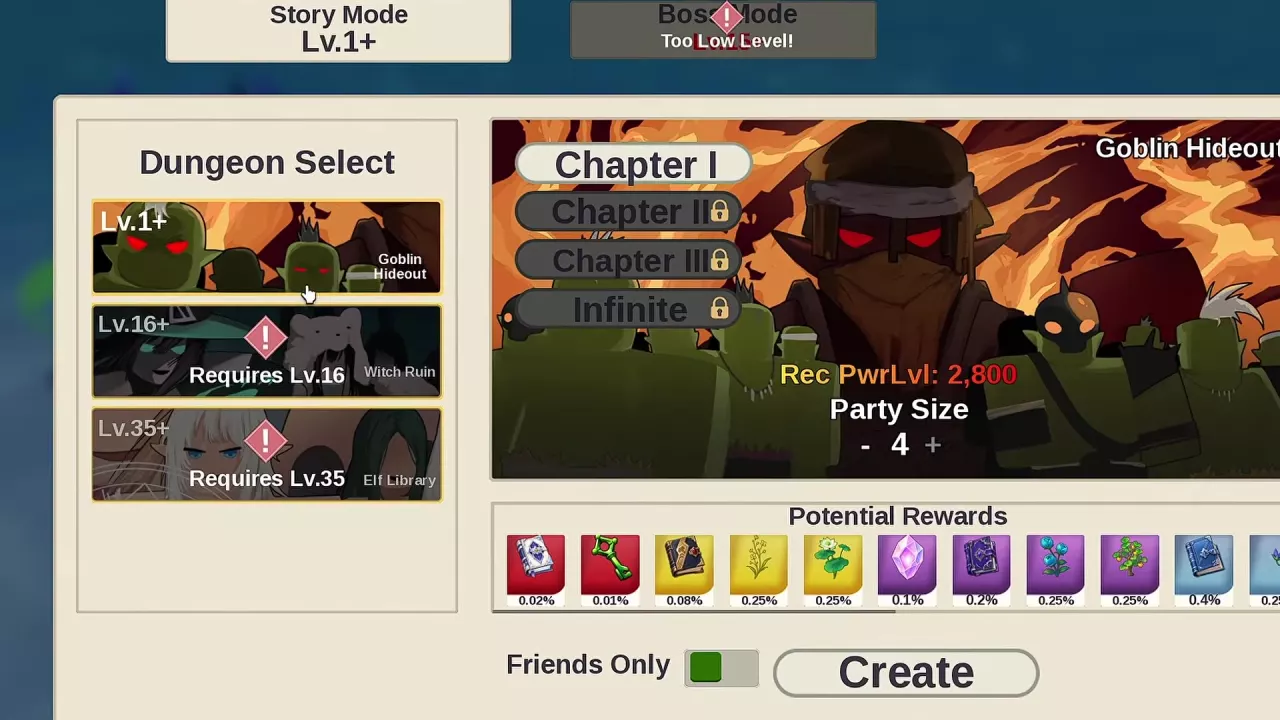
Story Mode and Goblin Hideout are available at character level 1. Choose an unlocked chapter; Chapter I lists a recommended power of 2,800. Recommended power is guidance rather than a hard entry requirement.
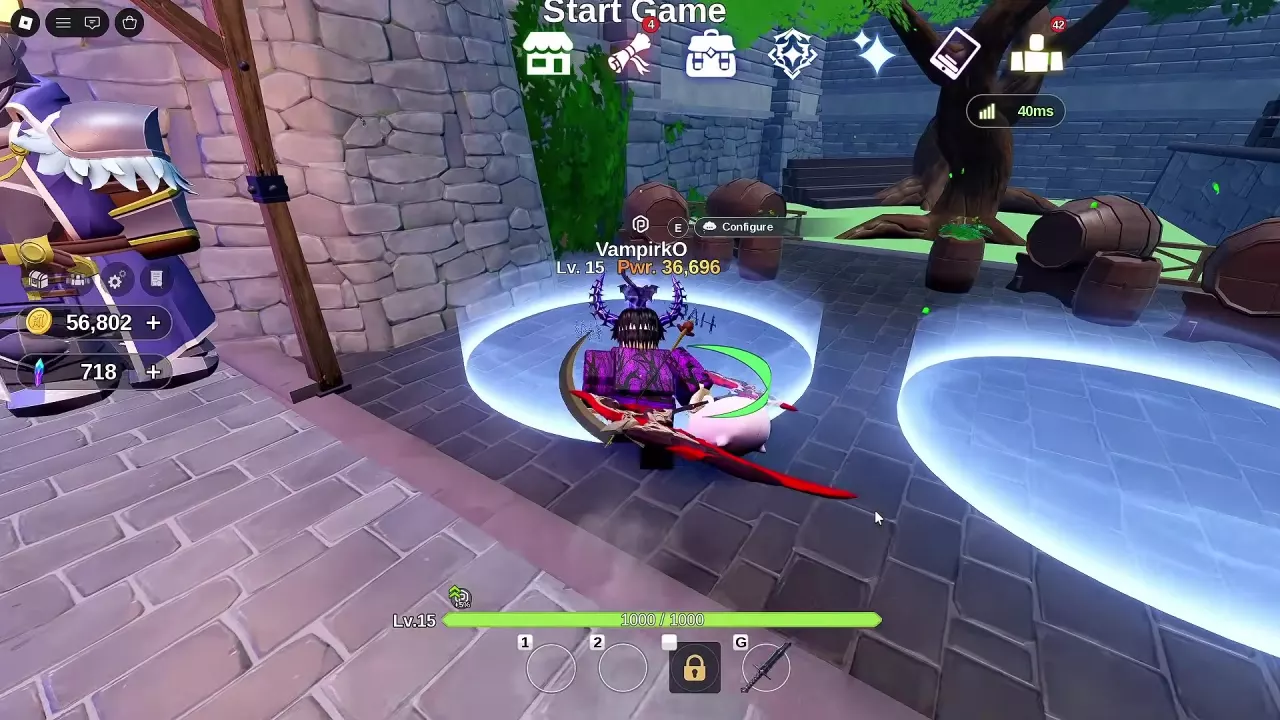
- Walk into the glowing circle beneath Start Game, beside the town wall and guard.
- Press E Configure to open Dungeon Select.
- Select Story Mode → Goblin Hideout.
- Choose an unlocked chapter.
- Adjust Party Size with the minus and plus buttons. Set it to 1 to play solo. Use Friends Only if you want to restrict the party to friends.
- Select Create and wait through the starting countdown. Cancel is available during the wait.
You can begin alone; a Party Size setting of 4 does not mean four players are required. For other maps, modes and friend invitations, use the dungeon entry and party guide.
Clear Seven Waves and Collect the Chests
Goblin Hideout Chapter I and Chapter II runs have seven waves. Clearing the remaining enemies advances the fight.
- Approach the entrance door and press E when Open Door appears.
- Watch the wave counter, remaining enemy count and timer at the top of the screen. Clear each wave to advance.
- Defeat the final-wave boss, then finish any surviving enemies. The boss's defeat alone does not complete combat while enemies remain.
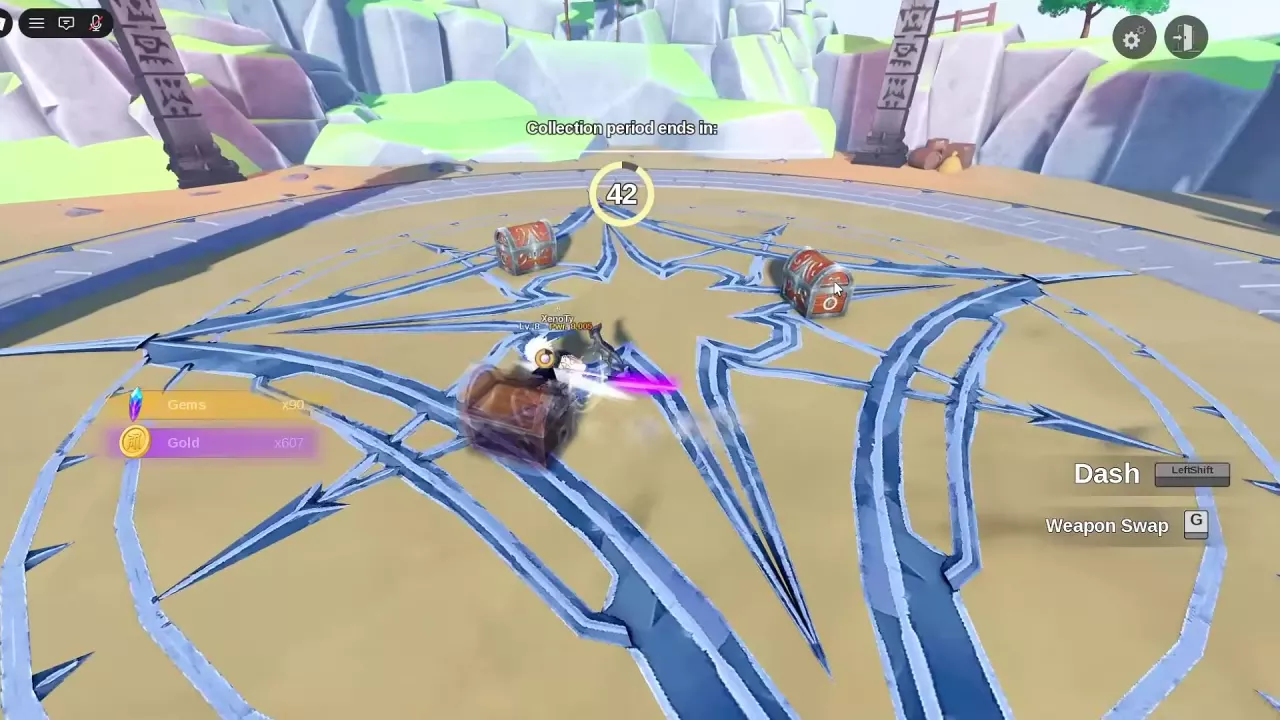
- When the Collection period countdown begins, move between the arena's chests. Approach each chest and use Open Chest when prompted, then collect its rewards before time runs out.
- Review Dungeon Complete for XP, weapon-level changes and War Spoils. Choose Return to go back to town or Replay to repeat the dungeon when that option is available.
For your first clear, returning to town lets you collect completed rewards and inspect your equipment before fighting again.
Claim Rewards and Improve Your Next Run
- Open Quest in town. Select completed quests and use Claim, or use Claim All for all available quest rewards.
- Visit Aldric on the building steps near Neko-Chub when you have an unclaimed level milestone. Press E at Claim to open level rewards. If the Check Level Rewards prompt appears, follow its white route to him.
- If you want another weapon and have at least 500 Gems, open Gatcha → Standard Weapons and choose Summon 1x. Lunara, labeled Angel of the Abyss, Gacha, also marks the summoning service in the central hub. See summoning rates and pity when planning further pulls.
- Open Bag → Weapon and inspect new weapons' attributes and skills before choosing what to equip. Keep useful alternatives, and lock items you want to retain before selling unwanted items or selecting merge materials. Locking protects them from both selling and merging.
- Test any changed loadout in the Training Area, then start another available dungeon chapter.
Quest rewards and Aldric's level rewards use separate claim routes. The reward guide covers the other reward menus, while inventory management explains selling and keeping equipment. Use the leveling guide to plan stat allocation and later unlock milestones.
Adjust Effects, Audio and Camera Presentation
Open Settings with the gear icon in the upper-right corner. Choose the category that matches what you want to adjust.
| Category | Options |
|---|---|
| Graphics | Skill VFX, Disable Visual Artifacts, Companion Effects, Hair & Cloth Physics, Grass & Foliage, Hide Others' Outfits, Hide Other Players and Low Detail Mode |
| Volume | Separate Music Volume, SFX Volume and UI Sound Volume controls, plus the UI Sounds toggle |
| Video | Reduce Flashes, Screen Blur, Hide HUD, Show Own Nametag, Fast Summons, Artifact Fusion Cutscene and Dialogue Camera |
Use Reduce Flashes for flashing effects, Skill VFX for skill effects and the separate volume controls to balance music against combat and interface sounds. Fast Summons, Artifact Fusion Cutscene and Dialogue Camera control their respective presentation options. Some menu layouts also include Controls and Performance categories.