
Companions
Everblue Dungeons Companions: Unlocks and Presets
Last updated:
Companions add a brief weapon attack to your combat rotation. Set up their equipment in the hub, then deal damage to charge their appearances.
Companion slots unlock at character levels 15, 35 and 50. Open the blue-glowing Companion Equip book in the hub, select an unlocked slot, and choose a weapon and a full outfit. Once saved, the slot reads Assigned and reserves its gear. Deal damage to make the companion appear automatically, use its saved weapon’s first skill, and disappear.
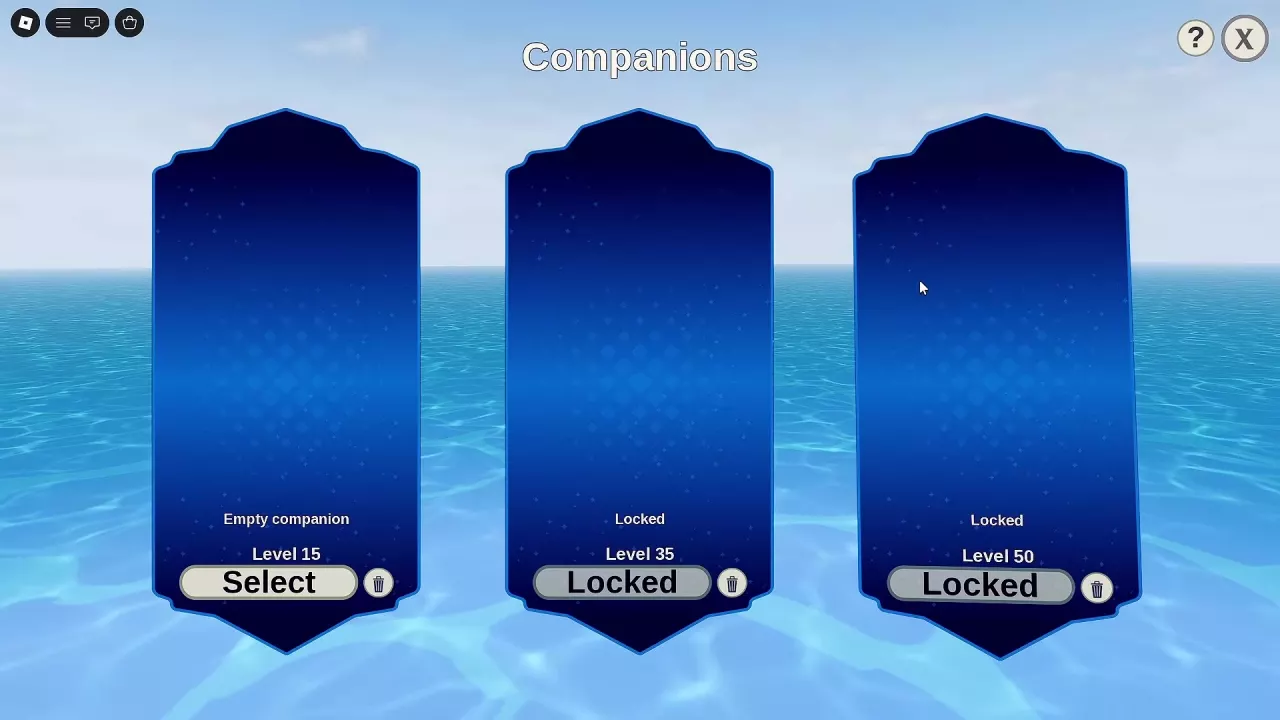
Unlock Slots at Levels 15, 35 and 50
Companion slots unlock through character level:
| Companion slot | Required character level |
|---|---|
| I | 15 |
| II | 35 |
| III | 50 |
Find Companion Equip, the blue-glowing book device in the hub. An unlocked empty slot displays Empty companion and a Select button; slots above your character level display Locked.
Have both an available weapon and a full outfit ready before configuring a slot. Reaching the required level opens the slot, but you still need to save its equipment before it can assist you. See the leveling and unlock milestones to plan your next slot unlock.
Save a Weapon-and-Outfit Preset
- Open Companion Equip in the hub.
- Click Select on an unlocked empty slot.
- Click the weapon you want the companion to use. The menu moves directly to Armor.
- Click the full outfit you want to assign.
- Wait for Saving companion... to finish.
For the first slot, successful saving displays Preset I saved; gear reserved. The companion slot then reads Assigned. This is the completed preset: its selected weapon and outfit are saved, and its gear is reserved for that preset.
If the outfit-selection stage displays No armors yet, you need an available full outfit to finish. Click Cancel, obtain an outfit, and return to configure the slot. Both the weapon and outfit selection stages offer Cancel if you want to leave without completing the selection. Use the armor and outfit guide to find acquisition routes.
Choose the Companion’s First Skill and Element
Choose the saved weapon for its first skill and element. The companion performs that opening skill during its brief appearance, so prioritize the attack you want it to contribute to your fights.
- Compare the weapons’ first skills when deciding which attack would complement your own rotation.
- Choose the weapon’s element to match the attack you want the companion to deliver.
Use the weapon directory to compare available skill and element details. For broader choices involving your own weapon pair, sets and stats, see the build guide.
Cinderclaw can serve as the full outfit in a companion preset. It supplies the outfit part of the setup; choose the weapon separately for the opening skill and element you want.
Deal Damage to Trigger Companion Attacks
After saving a preset, charge the assigned companion by dealing damage:
- Deal damage until the companion’s charge requirement is reached.
- The companion appears automatically with its saved weapon and outfit, approaches the fight, and uses that weapon’s first skill. Its arrival can include a cutscene.
- The companion disappears after its attack. Continue dealing damage to charge its next appearance.
The companion provides a short assist rather than staying beside you throughout combat. Its arrival follows damage charge and is separate from manually activating your weapon’s ultimate. See combat controls and skills for manual weapon inputs.
In the early-play configuration, the damage-charge requirements were:
| Companion slot | Damage-charge requirement |
|---|---|
| I | 200 |
| II | 325 |
| III | 350 |