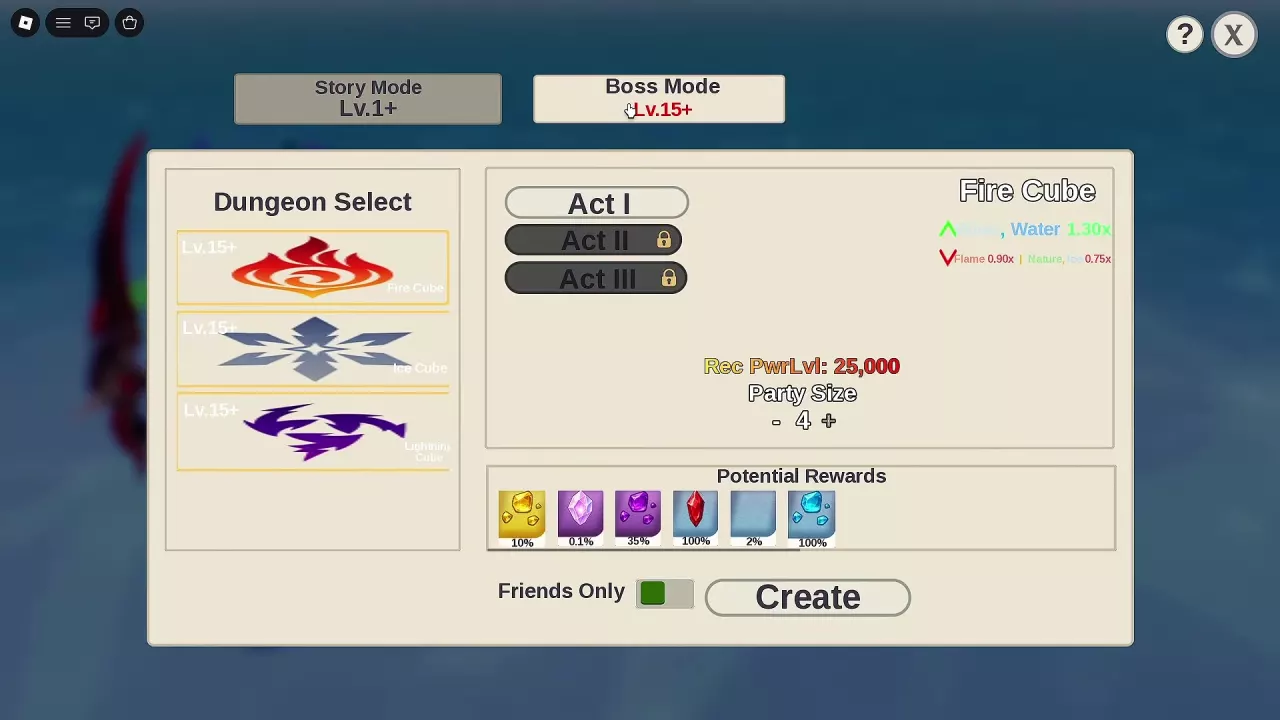
- Open dungeon selection and choose the mode and map.
- Select the chapter or act you intend to enter.
- Read Potential Rewards for that selection before creating the run.
Use the percentages attached to your selected encounter. Fire Cube Act I, with 25,000 recommended power, has different reward previews across configurations:
The configuration with 5% gold-colored fragments also lists a red rose-shaped item at 1%. Match the preview on your screen rather than treating either set as universal for Fire Cube.
For Goblin Hideout Chapter I, at 2,800 recommended power, the preview lists a blue-purple clustered plant and a green branching plant at 0.25% each, plus a dark book, a blue book, and a pale-blue flower at 0.5% each.
Use icon shape and color to locate an entry in the preview, but do not identify a named material from color alone. In particular, a red crystal-shaped reward icon is not enough to assign its percentage to the named Red Crystal used in Secret artifact fusion.