
Reforging
Everblue Dungeons Reforge Guide: Grades, Costs and Controls
Last updated:
Visit Sarah to reroll the base-stat grade on your weapons, armor, or pets. Choose your item carefully, budget both currencies, and set confirmation for grades you want to keep.
Sarah, beside the hub’s stone stairs, reforges weapons, armor, and pets for the selected item’s displayed Gems and Gold cost. Each roll replaces the current grade and can lower it. SSS has a 1% chance per roll and gives +35% base stats. Use Confirm rolls to request a prompt before replacing selected grades; previous best results are not preserved.
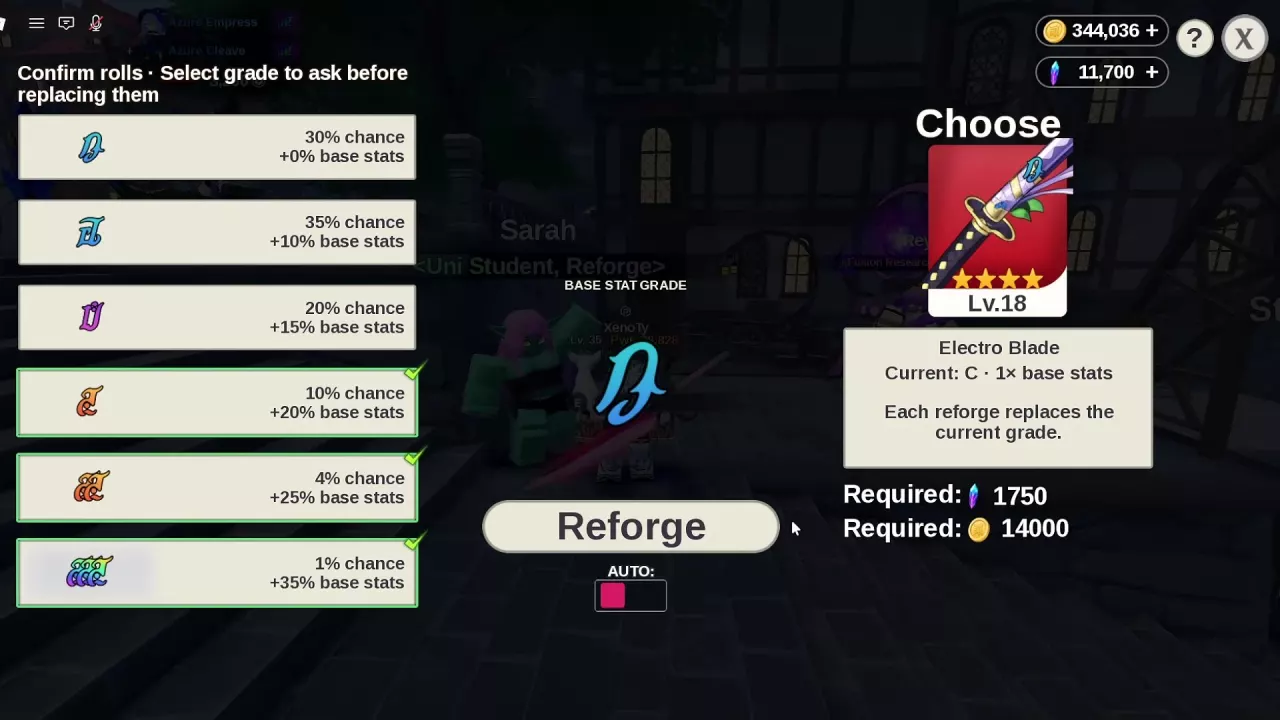
Reforge Weapons, Armor and Pets at Sarah
Find Sarah beside the stone stairs in the hub. Look for her Uni Student, Reforge service label; she has green skin, pink-purple hair, and glasses.
- Approach Sarah and press E at the Open prompt.
- In the Reforge menu, use Choose to select your weapon, armor item, or pet.
- Read the item’s Current grade and both Required currency amounts.
- Set Confirm rolls for grades you want a prompt before replacing, as explained below.
- Click Reforge, then check the new grade before choosing another roll.
For item sources and equipment details, use the weapon directory, armor guide, or pet guide.
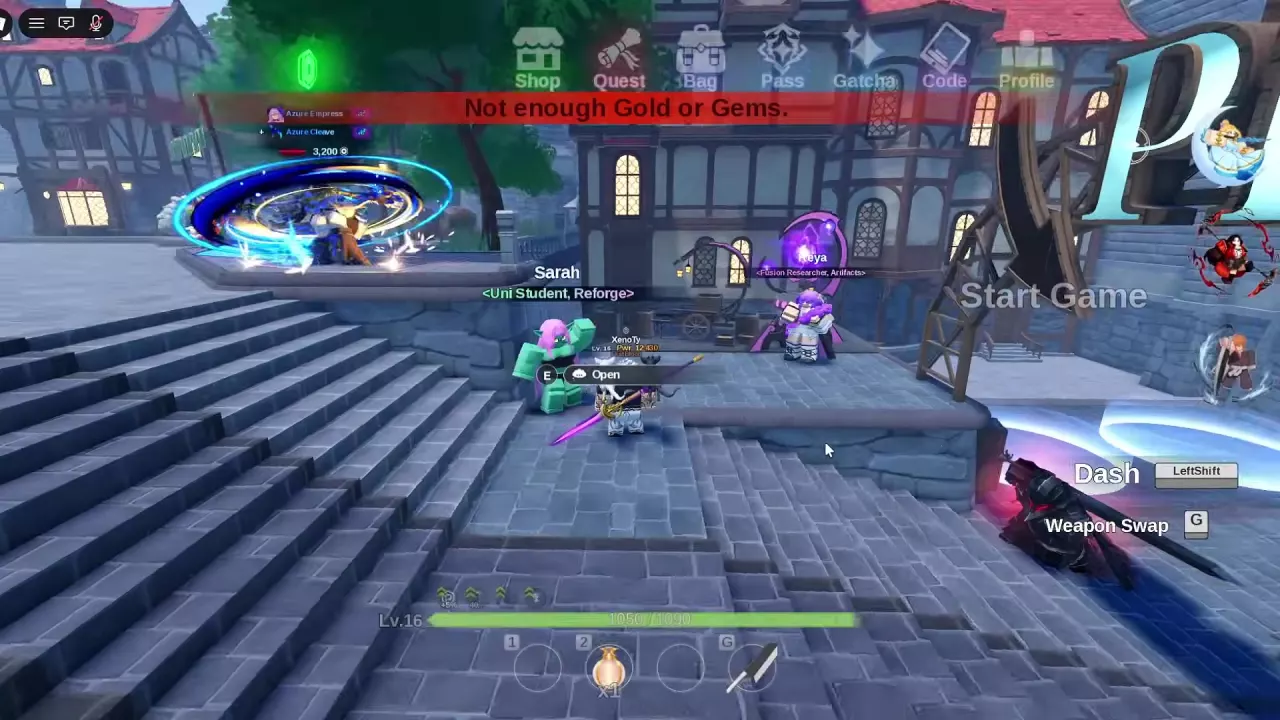
C to SSS Chances and Base-Stat Bonuses
| Grade | Chance per roll | Base-stat bonus |
|---|---|---|
| C | 30% | +0% |
| B | 35% | +10% |
| A | 20% | +15% |
| S | 10% | +20% |
| SS | 4% | +25% |
| SSS | 1% | +35% |
These percentages describe the chance of receiving each grade. 30% is the chance of rolling C, rather than an overall reforge success rate. A paid roll can return C and give no base-stat bonus.
The grade modifies base stats: C is 1×, while B is 1.1×. SSS provides the largest bonus at +35%, but its 1% chance makes chasing it expensive. If resources are tight, keeping S at +20% is a reasonable stopping choice instead of spending more to pursue SSS.
Read the Cost for Your Selected Item
Reforging consumes both Gems and Gold. Read the two Required amounts after selecting an item; the currency totals at the top of the menu are your balances.
| Selected item and configuration | Gems per roll | Gold per roll |
|---|---|---|
| One Sword Style — Level 100, four stars | 1,750 | 14,000 |
| Electro Blade — Level 18, four stars | 1,750 | 14,000 |
| Rapier with a gold guard — Level 8 | 1,400 | 7,000 |
Use these as configuration-specific cost examples. For another weapon, armor item, or pet, use its own displayed requirements.
You must afford both amounts to roll. If either currency is short, the attempt is blocked with “Not enough Gold or Gems.” Paying for a roll also does not guarantee an improvement. For ways to replenish either currency, see how to get Gems and Gold.
Protect Grades Before Another Roll
Every reforge replaces the item’s current grade, including when the new result is worse. A can drop to B, reducing the base-stat bonus from +15% to +10%. You cannot keep rolling while automatically retaining your best previous result.
Set Confirm rolls
Select the grades in Confirm rolls that should require a confirmation prompt before replacement.
- Select S, SS, and SSS to request confirmation before replacing any of those grades.
- For confirmation only on SSS, select the 1% chance / +35% base stats option.
- Include A or B too if you want a prompt before risking their bonuses.
These selections control replacement prompts. Treat them as confirmation settings, rather than automatic stopping targets.
Open AUTO REFORGE
Use AUTO, below the Reforge button, to access the paid automatic reforging feature. If you do not own it, the control can open a Robux purchase prompt.
AUTO REFORGE has a listed Game Pass price of 240 Robux. A discounted purchase offer shows 120 Robux, with 240 crossed out; use the price displayed in your purchase prompt. See the Game Pass guide for other paid features and their entries.